

Omeon

Mullvad VPN

Swedish VPN service with a single flat price, anonymous account numbers and payment in cash or cryptocurrency.

coins named by the brand
4
Coins on Omeon
1 / 6
mullvad.net
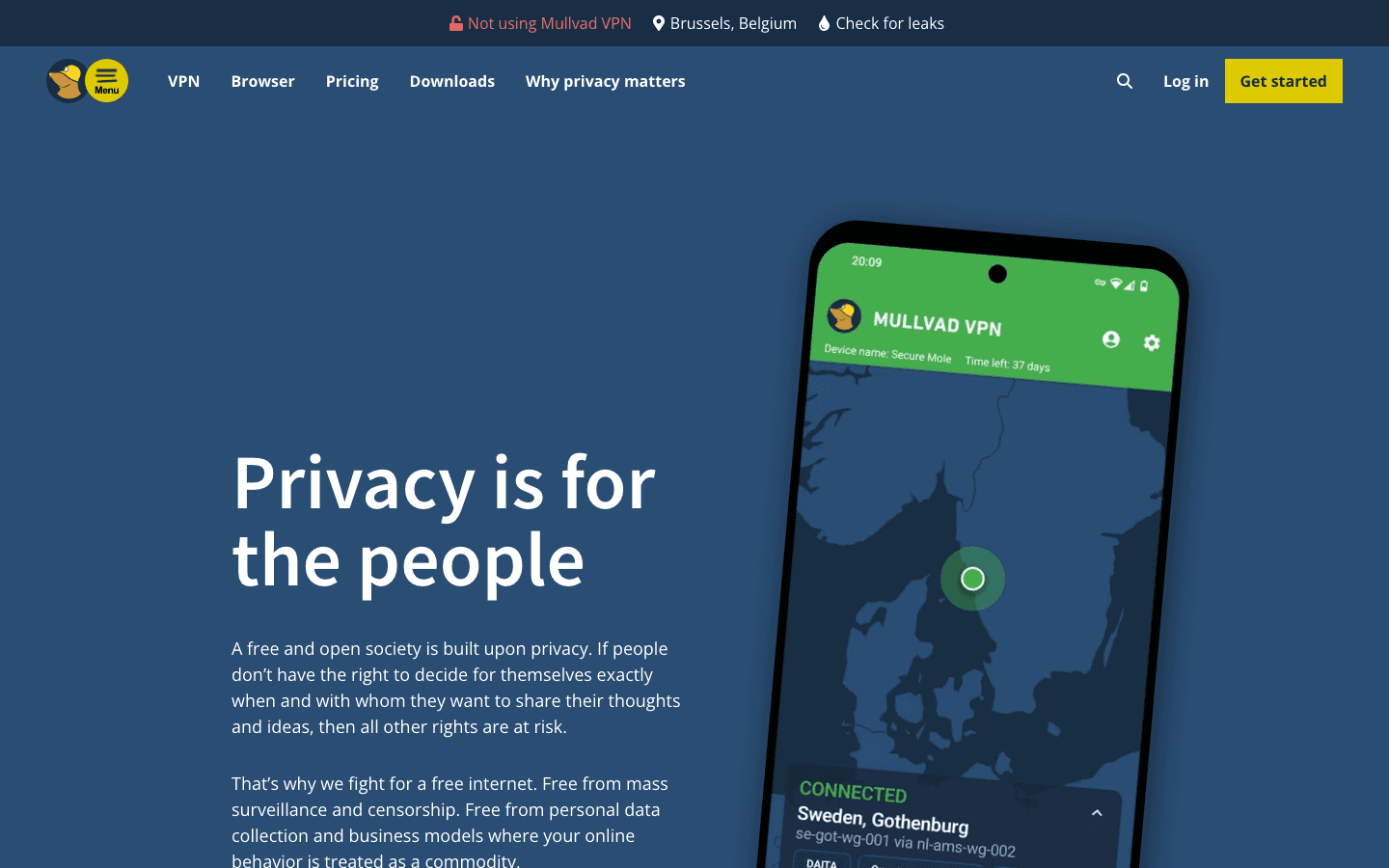
Mullvad VPN homepage

Key facts

Launched
March 2009
Company
Mullvad VPN AB (parent: Amagicom AB)
Founders
Fredrik Strömberg, Daniel Berntsson
Based in
Gothenburg, Sweden
Price
€5 per month, flat
Servers
566 in 50 countries (server list, November 2026)
Apps
Windows, macOS, Linux, iOS, Android

Crypto accepted

Coins with an Omeon page

  • Bitcoin

What they do

How paying works

Everything Mullvad VPN offers

Plan and payment

Mullvad sells a single VPN plan. Resellers may offer other price models.

  • Mullvad VPN
  • Cryptocurrency payment
  • Cash by post
  • Other methods

Mullvad VPN. Full access to the VPN on up to five devices. Time can be paid month by month or topped up in advance; the monthly rate is the same for one month, one year or longer.

Cryptocurrency payment. Bitcoin (on-chain or Lightning), Bitcoin Cash or Monero, with a 10% discount and no refunds.

Cash by post. Cash sent in an envelope with a payment token generated on the website. Accepted currencies: EUR, USD, GBP, SEK, NOK, CHF, CAD, AUD and NZD. Not refundable.

Other methods. Bank wire, credit card, PayPal, Swish, EPS transfer, Bancontact, iDEAL | Wero and Przelewy24. These are covered by the 14-day money-back guarantee.

Mullvad VPN
€5 per month, VAT included
Cryptocurrency payment
€5 per month, less 10%

Privacy and security features

  • Anonymous account
  • No logging
  • Always-on kill switch
  • Lockdown mode
  • DAITA
  • Multihop
  • Quantum-resistant tunnels
  • DNS content blockers
  • Anti-censorship
  • External audits

Anonymous account. No email or personal details are requested; a randomly generated account number is the only login.

No logging. The company states that it does not log VPN activity. IP addresses are shared between users.

Always-on kill switch. Blocks internet traffic if the VPN connection drops or is not yet established. It cannot be turned off.

Lockdown mode. Optional setting that keeps traffic blocked even after the user disconnects or quits the app.

DAITA. Defense Against AI-guided Traffic Analysis: hides traffic patterns by routing through DAITA-enabled servers. Uses more data and battery.

Multihop. Routes traffic through two WireGuard servers, an entry and an exit, in different locations and jurisdictions.

Quantum-resistant tunnels. Post-quantum secure tunnels, available on all supported platforms, meant to protect recorded traffic against future quantum decryption.

DNS content blockers. Options in the app to block ads, trackers and other categories at DNS level while connected. DNS queries travel inside the encrypted tunnel.

Anti-censorship. Obfuscation methods such as UDP-over-TCP for networks that block VPNs, plus alternative API access methods (Shadowsocks, SOCKS5) when the app cannot reach Mullvad.

External audits. The apps and infrastructure are reviewed by independent auditors.

App settings and tools

  • Split tunnelling
  • Local network sharing
  • Auto-connect and launch on start-up
  • Custom DNS and in-tunnel IPv6
  • Server filters
  • Check for leaks

Split tunnelling. Excludes selected apps from the VPN, for example games or streaming apps.

Local network sharing. Keeps printers, NAS drives and other local devices reachable while connected.

Auto-connect and launch on start-up. Starts the app with the operating system and connects automatically.

Custom DNS and in-tunnel IPv6. Use another DNS server, route IPv6 through the tunnel, and choose IPv4 or IPv6 for connecting to servers.

Server filters. Filter the location list by Mullvad-owned or rented servers and by hosting provider.

Check for leaks. Web tool on mullvad.net that checks whether the connection leaks IP or DNS information.

Apps and platforms

  • Windows
  • macOS
  • Linux
  • iOS
  • Android
  • WireGuard configuration files

Windows. Desktop app with tray icon and optional start minimised.

macOS. Desktop app.

Linux. Desktop app, plus guides for WireGuard in the terminal.

iOS. Mobile app for iPhone and iPad.

Android. Mobile app for Android 9.0 and later.

WireGuard configuration files. For routers (including pfSense) and devices that cannot run the Mullvad app, using official WireGuard clients.

Browser and other products

  • Mullvad Browser
  • Mullvad browser extension
  • Encrypted DNS (discontinued)

Mullvad Browser. Free, open-source browser developed with the Tor Project: Tor Browser without the Tor network. Blocks trackers with uBlock Origin, reduces fingerprinting, runs in private mode by default and has no telemetry. For Windows, macOS and Linux.

Mullvad browser extension. Shows connection status, flags privacy issues and can route browser traffic through a SOCKS5 proxy on another Mullvad server. Pre-installed in Mullvad Browser and works with Firefox-based browsers, not Chrome.

Encrypted DNS (discontinued). Mullvad's public DNS over HTTPS and DNS over TLS service was discontinued on 2 November 2026; the company says it sponsors Quad9 instead.

Mullvad Browser
Free

Server network

  • Server locations
  • Owned and rented servers
  • Port forwarding

Server locations. 566 servers in 50 countries and 91 cities on Mullvad's public server list on 3 November 2026, from 14 hosting providers.

Owned and rented servers. Each server is labelled as owned by Mullvad or rented, and the app can filter by either.

Port forwarding. No longer offered; it was disabled on 29 May 2023.

Sources

14 sources

PageSiteType
Pricingmullvad.netOfficial
Aboutmullvad.netOfficial
Vpnmullvad.netOfficial
Serversmullvad.netOfficial
Browsermullvad.netOfficial
Using mullvad vpn appmullvad.netOfficial
Guidesmullvad.netOfficial
Mullvad browser extensionmullvad.netOfficial
Dns over https and dns over tlsmullvad.netOfficial
Refundsmullvad.netOfficial
Lightning paymentsmullvad.netOfficial
Ending support for cryptocurrency refundsmullvad.netOfficial
We now accept moneromullvad.netOfficial

Last checked 3 November 2026.